Enable SSL – Install SSL Certificate
You will install the SSL certificate by using the IIS Manager. Look for “Server Certificates” and double click on it.

Click on “Import” to import an existing SSL Certificate. Leave the Certificate Store as “Personal” or “Web Hosting”, either way is fine.
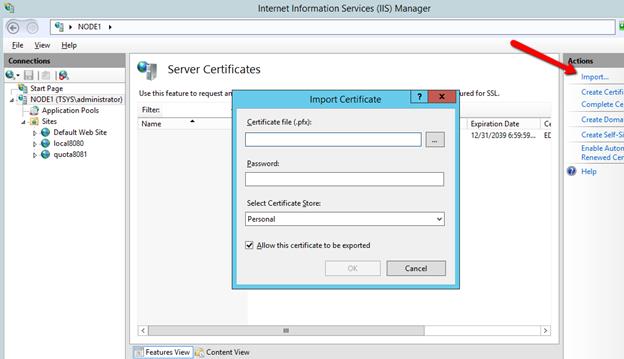

Verify that the certificate is available:

You can also verify the SSL certificate from the MMC/Certificates snap-in (Local Computer).
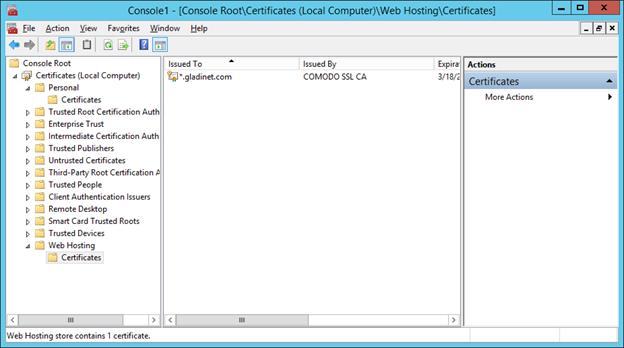
Now you can bind the “Default Web Site” to the SSL certificate for https. Right click on the “Default Web Site” and select “Edit Binding”.

At the binding dialog, edit the https binding.
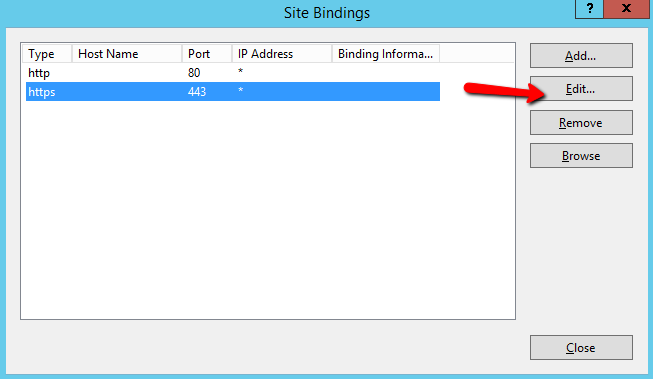
Now, change the SSL Certificate binding dropdown to the imported SSL certificate.
