Branding
Branding has two components. The first component is the self-service branding. The second component is Gladinet provided full-service branding.
Self-Service Branding
The self-service branding starts with the “Cluster Manager”. In order to start the branding, you will login to the web portal as the Master Administrator.
After you login to the web portal, click to the “Cluster Branding” Pages.
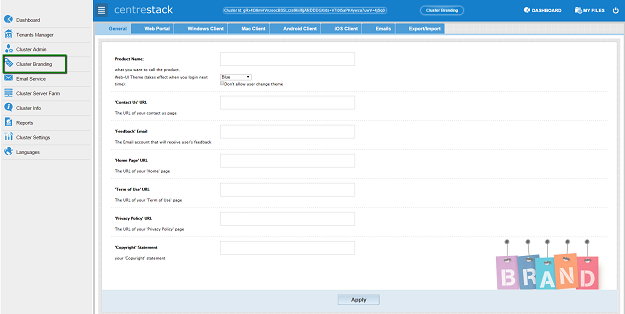
Best Practice to store self-service images. It is best to store the images under c:program files (x86)CentreStackrootimages. This folder is not part of the CentreStack install so you can create the folder and store images there. As this folder is not part of Gladinet Install, the folder will not be replaced during upgrade.
After that, you can reference the images using relative path such as /images/pic.jpg
If you use relative path, you can finish the branding first on worker node #1. After that, you can copy the branding artworks to worker node #2 and worker node #3.
Full-Branding Service
If you have full-branding service arrangement with Gladinet, you will also receive the Windows/Mac/Mobile client packages with full-branding artworks and access points built-in.